

Google's New UX-related signals and Core Web Vitals
Transfon Team
4 min read



Editor's note (2024): This article was originally published in June 2020. Core Web Vitals became a Google ranking factor in June 2021. FID has since been replaced by INP (Interaction to Next Paint) as of March 2024. The main advice below remains valid.
The latest Google core update at May 2020 introduced new user experience related signals and Core Web Vitals. Although Core Web Vitals metrics are not new except CLS (Cumulative Layout Shift), it draws the attention of most publishers and website owners.
Some publishers noticed most of the pages are marked as Poor URLs and thinking the traffic changes during May 2020 are caused by these Core Web Vitals metrics. But according to Google, these metrics and signals haven't been included in May 2020 update and will be enforced during the next year (Core Web Vitals became a ranking factor in June 2021).
Introducing upcoming ranking signals for Google Search based on several aspects of page experience–combining Core Web Vitals and previous UX-related signals.
Read our pre-announcement https://t.co/L3IrB2dOnM
— Google Webmasters (@googlewmc)
May 28, 2020
Core Web Vitals
Core Web Vitals are a group of signals for Google ranking results about how quick a page is loading, if the page is mobile-friendly, if the page is safe (Safe Browsing and implemented HTTPS).
You'll find three major metrics at the moment, and Google will bring more metrics into the algorithm of the user experience score of a page and thus impact the ranking position of the page:
LCP (Largest Contentful Paint)
There should be no or minimum blocking resources like javascript stop the page rendering.
FID (First Input Delay) INP (Interaction to Next Paint)
Update (March 2024): Google replaced FID with Interaction to Next Paint (INP) as a Core Web Vital. INP measures responsiveness across all user interactions during a page visit, not just the first input. See our guides on understanding INP and how to improve your INP score.
The page must respond quickly to user input. INP measures the delay between a user interaction (click, tap, or keypress) and the next visual update. A good INP score is 200ms or less.
CLS (Cumulative Layout Shift)
The elements on the page shouldn't be changed and causing the user's wrongly clicking something.
Google also defined the bar to mark a page as Google, Needs improvement or Poor:
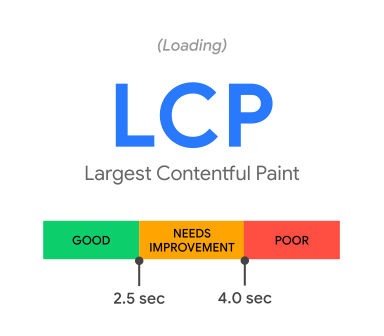
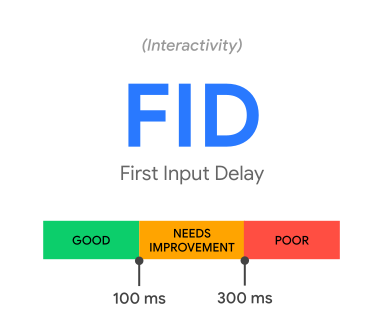
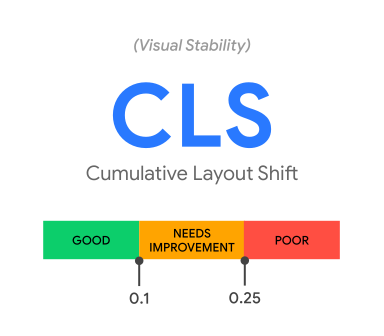
Ideally, a web page should be loaded within 2.5s and allow users to interact with the page within 100ms and has no element on the page is changing the location.
How to fix LCP, FID, CLS Poor URLs
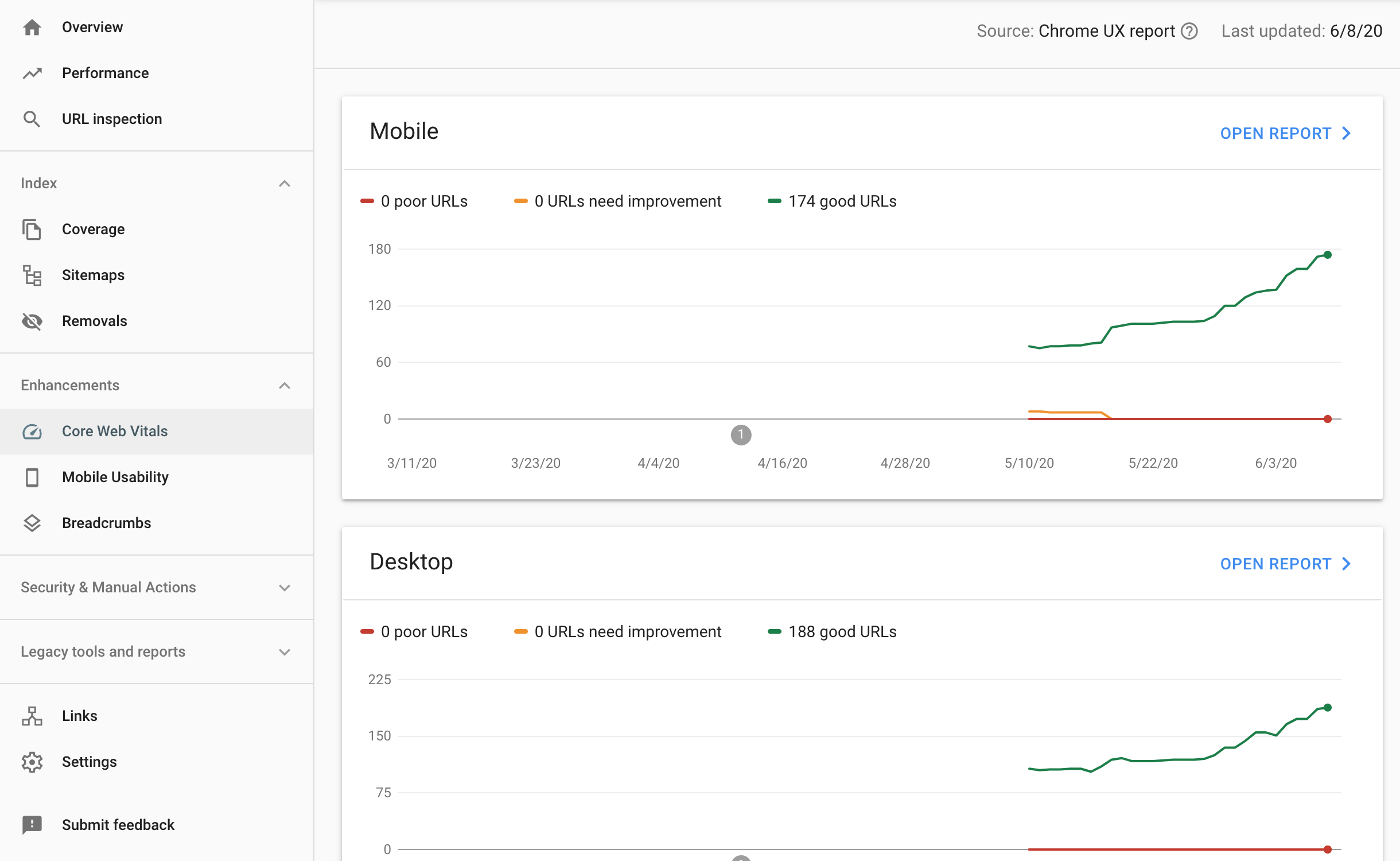
Luckily if you have already invested in the user experience of your website and keep tracking and maintaining the web page performance there isn't too much more to do. But if your Core Web Vitals metrics look like this, it should be your priority to fix the user experience.
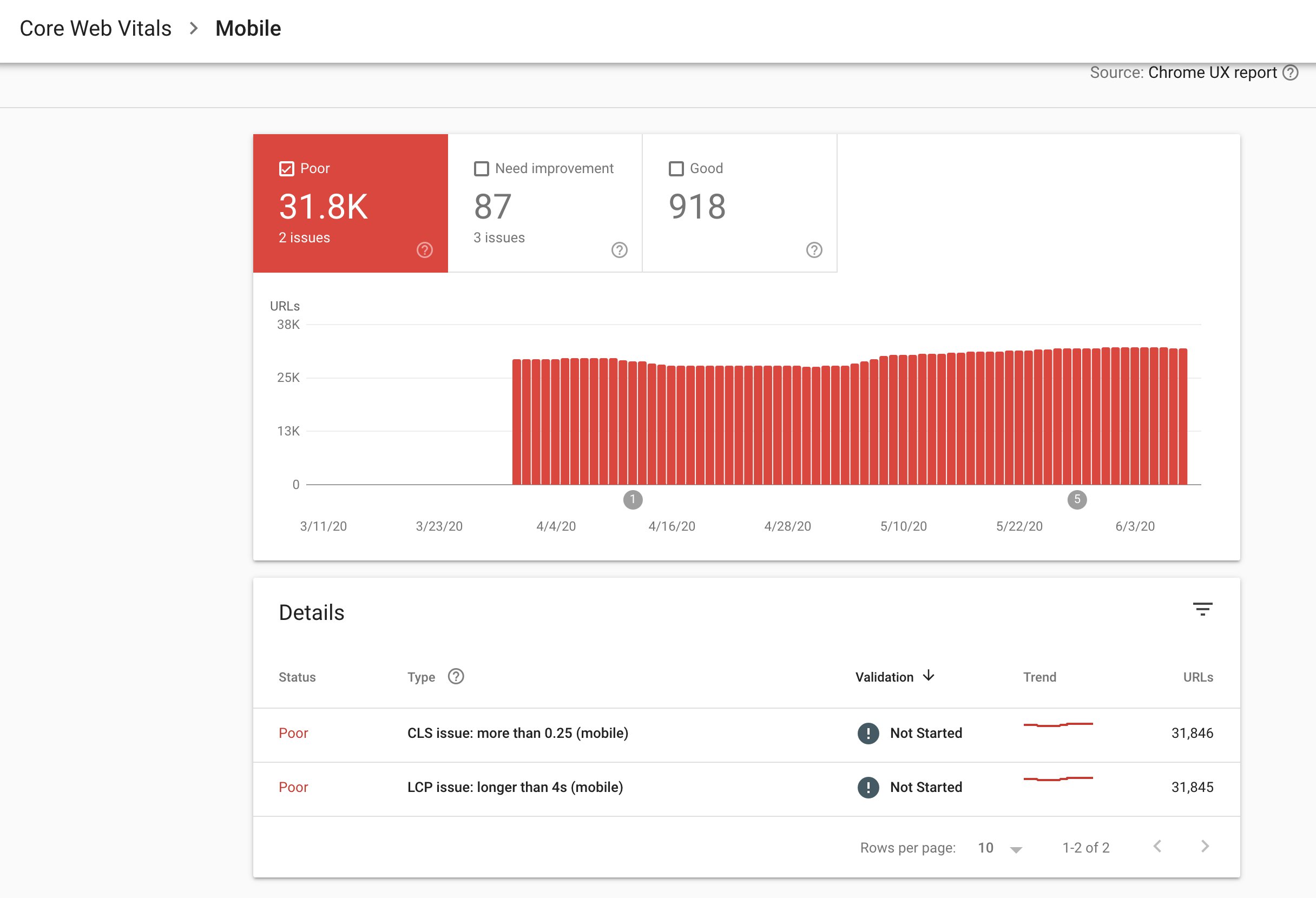
We've introduced Tips To Get a 90% Lighthouse Performance Score to improve the LCP and FID. If you follow these instructions, you're able to fix the most issues related to Core Web Vitals like LCP and FID.
For CLS, make sure the elements are in the fixed location on the page.
Tools to improve the user experience score
- Web Vitals Chrome extension
- Lighthouse chrome dev tools
- Google PageSpeed Insight
- Pubperf UX insight tool
- Manage Site Speed for SEO with Pubperf
Other major changes in the May 2020 Google core update
According to the community:
- May 2020 Google core update is targeting the old content which isn't updated to time. You should always update the old content and make it meaningful for the user's today.
- May 2020 Google core update is targeting user-generated content. Lots of forums have seen traffic loss.
- May 2020 Google core update is targeting the non-original, duplicate and thin content. Generate helpful and original content is the key to gain more Google traffic.
Want to track your Core Web Vitals in real time? Pubperf monitors LCP, CLS, and INP across all your pages so you can catch regressions before they impact your Google rankings.