

How Ads Affect Core Web Vitals: A Data-Driven Publisher Guide
Transfon Team
11 min read


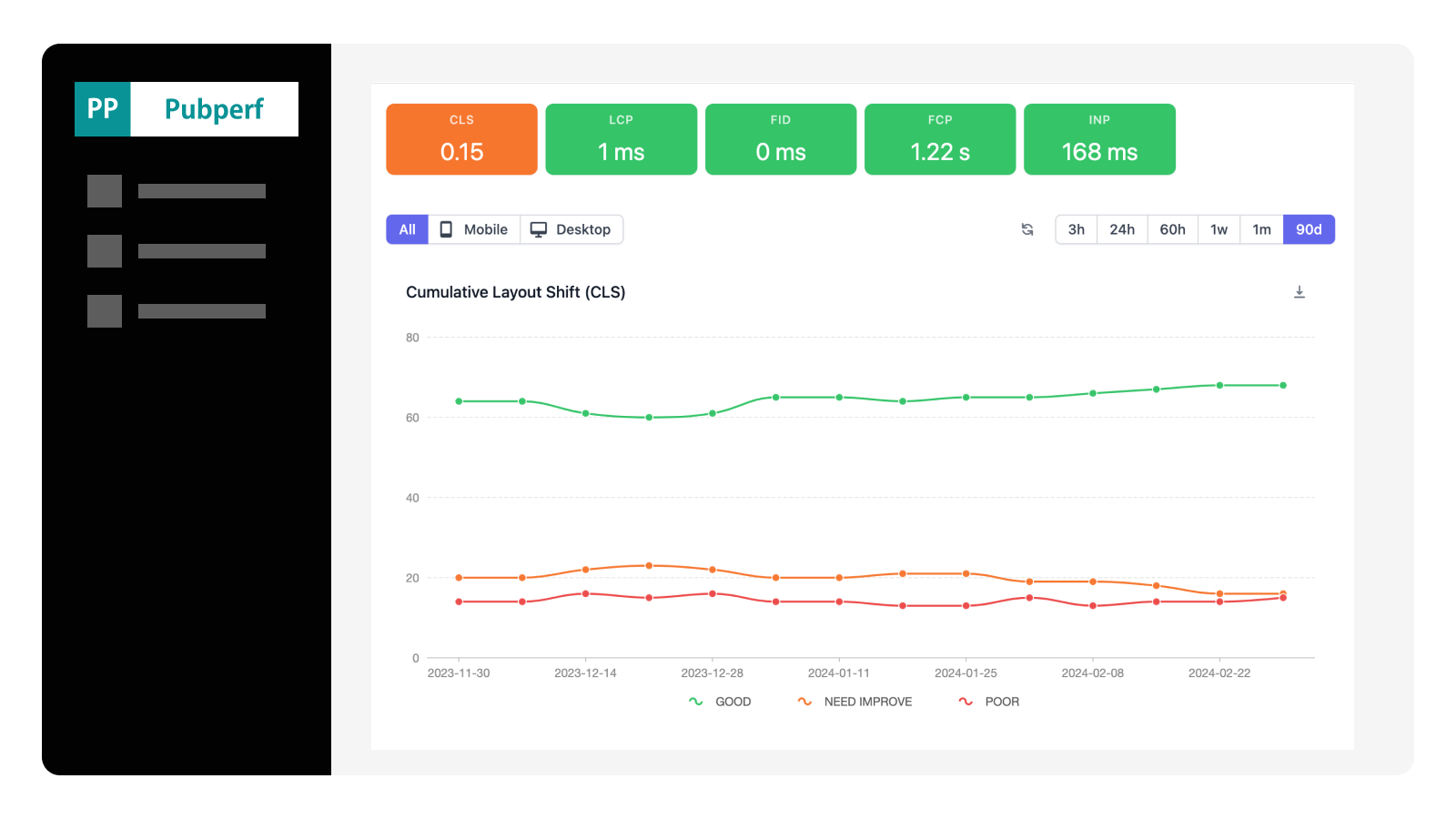

Publishers face a fundamental tension: more ads mean more revenue, but also slower pages and worse Core Web Vitals scores. Since Google made Core Web Vitals a ranking factor in June 2021, this isn't just a user experience issue — it is an SEO issue that directly impacts traffic and, by extension, ad revenue. This guide shows you exactly how ads affect each Core Web Vital and provides practical strategies to find the right balance.
Revenue vs. Performance
Every ad tag you add to a page introduces JavaScript execution, HTTP requests, DOM manipulation, and rendering work. A typical header bidding setup with 8-10 demand partners can add 500KB-1MB of JavaScript and generate 50-100 additional network requests per page load. The impact on page performance is real and measurable.
But removing ads isn't the answer — ad revenue funds the content that attracts the traffic in the first place. The goal isn't to eliminate the performance impact of ads, but to minimize it while preserving (or even increasing) revenue. Publishers who measure both performance and revenue simultaneously — rather than tweaking one at the expense of the other — consistently find opportunities to improve both.
This is precisely why integrated analytics matters. Tools that show you Core Web Vitals alongside ad revenue data, like Pubperf, let you make optimization decisions with the full picture rather than guessing at trade-offs.
How Each Core Web Vital Is Affected by Ads
LCP (Largest Contentful Paint)
LCP measures how quickly the largest visible content element renders on screen. For publishers, ads affect LCP in three main ways:
Render-blocking ad scripts. Any JavaScript loaded synchronously in the <head> blocks page rendering entirely. If your header bidding library or ad server tag loads synchronously, the browser cannot render any content — including your LCP element — until that script downloads, parses, and executes. This is the single most meaningful ad-related performance problem.
Main thread contention. Even when ad scripts load asynchronously, they compete for the browser's main thread. Prebid.js auction processing, bidder adapter initialization, and ad creative rendering all consume CPU time that could otherwise be used for layout and paint operations. On mobile devices with slower processors, this contention is amplified a lot.
Ad creatives as the LCP element. If a large above-the-fold ad slot renders before your main content image or heading, the ad creative itself can become the LCP element. This is problematic because ad creative rendering depends on the full auction lifecycle completing — bid requests, responses, ad server selection, and creative rendering — making LCP unpredictably slow.
Typical impact: Header bidding setups add 200-800ms to LCP depending on the number of bidders, timeout settings, and whether scripts are loaded asynchronously. On slow mobile connections, the impact can exceed 1,000ms.
CLS (Cumulative Layout Shift)
CLS measures unexpected visual movement of page elements. Ads are one of the most common causes of layout shift on publisher sites:
Late-loading ad slots without reserved space. When an ad slot has no explicit height defined in CSS, the surrounding content occupies that space initially. When the ad finally loads and renders, it pushes content down, creating a layout shift. This is the classic CLS problem for publishers.
Dynamic ad sizes and multi-size slots. Many publishers configure ad slots to accept multiple sizes (e.g., 300x250 OR 300x600). When the winning creative is a different size than what was visually reserved, a layout shift occurs. This is notably problematic with fluid or responsive ad slots.
Sticky and expandable ads. Adhesion ads that stick to the viewport, expandable ads that grow on interaction, and interstitial ads that overlay content all have CLS implications. While some of these shifts are expected user interactions (and therefore excluded from CLS calculation), poorly implemented versions can trigger unexpected shifts.
The fix is straightforward: Always reserve explicit space for every ad slot using CSS min-height. For multi-size slots, reserve space for the largest possible creative. This single change eliminates the vast majority of ad-related CLS issues.
INP (Interaction to Next Paint)
INP replaced FID as a Core Web Vital in March 2024, and it's significantly harder for publishers to pass. While FID only measured the first interaction delay, INP measures responsiveness across all interactions during the entire page visit.
Ad scripts creating Long Tasks. Any JavaScript execution that takes more than 50ms is classified as a Long Task, and Long Tasks directly degrade INP by blocking the browser from responding to user input. Prebid.js auction processing, bidder adapter execution, and ad refresh logic are common sources of Long Tasks on publisher pages.
Continuous ad operations. Unlike LCP and CLS, which are primarily affected during initial page load, INP is impacted throughout the user's visit. Ad refresh cycles, viewability tracking scripts, and real-time bidding for new ad slots all generate JavaScript execution that can delay the browser's response to clicks, taps, and keyboard input.
Third-party bidder scripts. Some demand partner adapters are less optimized than others, executing sizable computation during bid processing. Without per-bidder performance data, it's difficult to identify which adapters are causing the most main thread contention.
For a close look at diagnosing and fixing INP issues, see our guide on how to improve your INP score.
Measuring the Ad Impact on Your Site
Before you can tweak, you need to measure. There are two complementary approaches:
Real User Monitoring (RUM)
RUM data captures what actual users experience on your site, including the full impact of ad auctions, creative rendering, and third-party scripts. This is the only way to get accurate Core Web Vitals data for pages with ads, because lab tools like Lighthouse run tests without real ad auctions occurring.
Pubperf provides real-time RUM data that shows Core Web Vitals scores alongside ad performance metrics. This correlation is important — when you see an INP degradation, you can simultaneously check whether a specific bidder's latency increased or whether a new ad script was introduced.
Before/After Testing
When making ad configuration changes, establish clear baselines and measure the impact:
- Record your current CWV scores for at least one week to establish baselines
- Make a single change (adjust timeout, remove a bidder, add lazy loading)
- Measure the same metrics for another week
- Compare the performance impact alongside the revenue impact
The fundamental principle is: change one thing at a time and measure both performance and revenue. A change that improves LCP by 200ms but reduces revenue by 15% isn't necessarily a win — and you can't make that judgment without measuring both dimensions.
7 Strategies to Reduce Ad Impact on Core Web Vitals
1. Lazy Load Below-the-Fold Ad Slots
Ad slots that are below the fold — not visible when the page first loads — don't need to participate in the initial header bidding auction. Loading these slots only when the user scrolls near them removes their JavaScript execution and network requests from the main rendering path.
Implementation: Use the Intersection Observer API to detect when an ad slot container is approaching the viewport, then trigger the bid request and ad rendering. Set the threshold so the auction starts before the slot is actually visible (a rootMargin of 200-400px below the viewport works well).
Revenue impact: Typically neutral or slightly positive. Below-the-fold ad viewability is already low, and lazy loading ensures ads only render when they have a realistic chance of being seen. Some publishers report improved viewability rates after implementing lazy loading, which can increase eCPMs.
2. Set Explicit Ad Slot Dimensions
This is the single most effective CLS fix for publisher sites. For every ad slot on your page, define explicit CSS dimensions that reserve space before the ad loads:
  min-height: 90px;
  width: 728px;
}.ad-slot-rectangle {
  min-height: 250px;
  width: 300px;
}
For multi-size slots, always reserve space for the largest possible creative size. A slightly larger empty space is far better than a layout shift when a larger creative wins the auction.
3. Tweak Prebid.js Timeout Settings
Your prebid timeout is one of the most impactful settings for both revenue and performance. A longer timeout captures more bids (higher revenue potential) but delays the page (worse performance). A shorter timeout speeds up the page but may cut off worthwhile high-eCPM bids.
The optimal timeout depends on your specific bidder mix and their response latencies. Pubperf's timeout analysis feature shows you exactly how many bids arrive at each time interval, letting you find the sweet spot where you capture 95%+ of bids with the minimum possible timeout.
For most publishers, a timeout of 1,500-2,000ms captures the vast majority of bids. Going below 1,000ms typically sacrifices meaningful revenue, while going above 3,000ms rarely captures additional bids but noticeably hurts page performance.
4. Defer Non-Essential Ad Scripts
Not all ad-related JavaScript needs to execute immediately. Priority order:
- Load first: Prebid.js main library and your primary demand partner adapters
- Load on interaction/scroll: Viewability tracking, ad refresh logic, companion scripts
- Load last: Analytics tags, optimization scripts, A/B testing frameworks
Using the approach described in Tips To Get a 90% Lighthouse Performance Score, you can defer non-critical scripts until user interaction begins.
5. Reduce the Number of Bidders
Each additional bidder adds JavaScript execution time, network requests, and main thread contention. The revenue contribution of each additional bidder follows a curve of diminishing returns — the first 5 bidders capture most of the available demand, while bidders 10-15 add marginal revenue at increasing performance cost.
Use Pubperf's bidder-level analytics to identify underperforming demand partners. If a bidder has a win rate below 2% and adds 100ms+ of latency, removing it likely improves both performance and (counter-intuitively) revenue — because the remaining bidders can respond faster within a tighter timeout.
6. Yield to the Main Thread
When your ad code needs to perform CPU-intensive work (processing bid responses, rendering creatives, running viewability calculations), break the work into smaller chunks and yield to the main thread between each chunk. This allows the browser to process user input during the gaps:
function yieldToMain() {
  return new Promise(resolve => {
    setTimeout(resolve, 0);
  });
}

async function processBidResponses(bids) {
  for (const bid of bids) {
    processSingleBid(bid);
    await yieldToMain(); // Let the browser handle user input
  }
}
This pattern is especially important for INP, where any Long Task can delay the browser's response to user clicks and taps.
7. Monitor Continuously, Not Just Once
Performance optimization isn't a one-time project. New ad creatives, bidder adapter updates, CMP changes, and site redesigns can all regress your Core Web Vitals scores. Set up continuous monitoring with performance budgets and alerts:
- LCP budget: Alert if LCP exceeds 2.5 seconds for more than 10% of page loads
- CLS budget: Alert if CLS exceeds 0.1 for more than 10% of page loads
- INP budget: Alert if INP exceeds 200ms for more than 10% of page loads
Pubperf tracks both CWV and ad revenue metrics in real time, so you can catch regressions the same day they occur rather than discovering them in a weekly report.
The Virtuous Cycle: Better Performance Powers More Revenue
Tempting to view performance optimization and ad revenue as opposing forces. But the data tells a different story. Google's own case studies show publishers achieving 18%+ revenue increases from Core Web Vitals optimization, driven by:
- Better search rankings from passing CWV thresholds, leading to more organic traffic
- Lower bounce rates from faster page loads, leading to more pageviews per session
- Higher ad viewability from users staying on pages longer
- More ad impressions from increased pageviews and session depth
The publishers who win are those who measure both revenue and performance, find the optimization opportunities that improve both, and catch regressions before they compound into meaningful losses.
See exactly how your ads affect Core Web Vitals. Pubperf gives you side-by-side visibility into page performance and ad revenue metrics — so you can sharpen both.